
Free tool
Google review link generator
Type your business name or paste its Google Maps link. You get the link that opens the review box straight away, a QR code and a card to print for your counter.
How to find your Google Maps link
01Type your business name and town above and press Get my link. We open Google Maps with that search, or you can search there yourself.
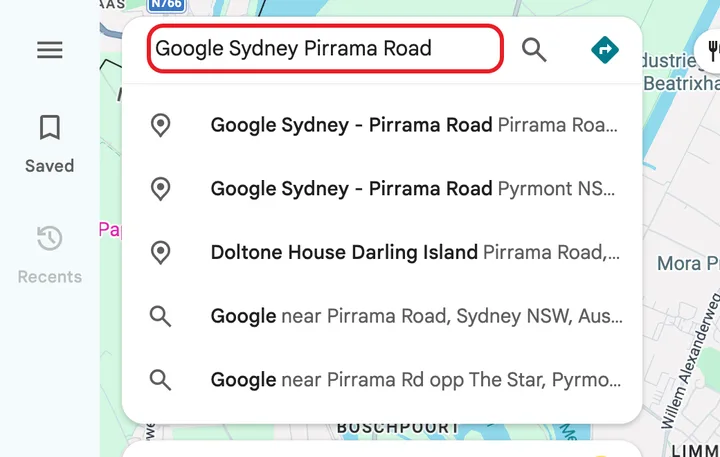
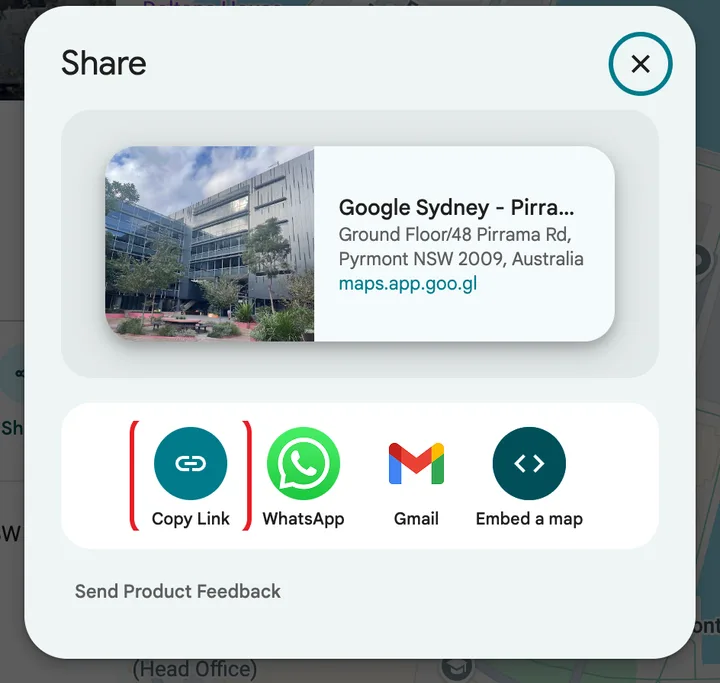
02Open your business and tap Share, then Copy link. On a computer you can also copy the address from the browser bar.
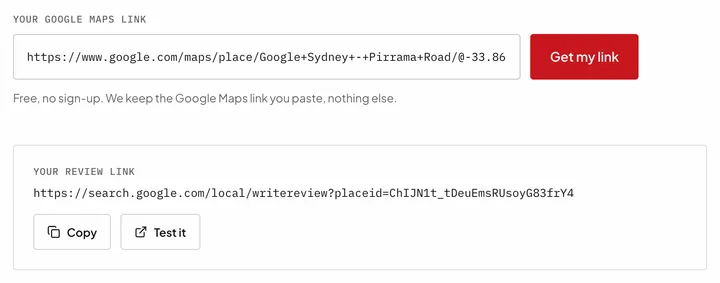
03Come back and press Paste my link (or paste it in the box). You get the link that opens the review window straight away.
Where to use your review link
- On the card at your counter or till.
- In the WhatsApp or text message after each appointment.
- In your email signature and on receipts.
- On your website, next to the booking button.
Frequently asked questions
Yes. No sign-up, no limits, nothing to install. The link and the QR code are yours and never expire.
No. It's Google's own review link, built from your place ID. It doesn't go through us.
Because then they have to find the reviews tab and the button themselves, and many give up. This link opens the star rating straight away.
No. Google's rules don't allow offering money, products or discounts for reviews, and it can remove them. Asking every customer is allowed, and it works.
Yes, if you manage your Business Profile: search your business on Google and choose 'Ask for reviews'. Paste that link here to get the QR code and the card.
Yes, anywhere your business is on Google Maps.
Reviews bring people to your profile. Your website has to close.
We build websites and local SEO so people find you on Google, Maps and ChatGPT, and then call. Fixed price, you just approve.
Book a call