Restaurant SEO: how to fill tables from Google
In this article
- How does Google decide which restaurants to show?
- Set up your Google profile for a restaurant
- Keep your hours right, including bank holidays
- Reviews: ask, reply and learn
- A fast website with the menu as real text
- Restaurant structured data (schema.org Restaurant)
- The same name, address and phone number everywhere
- What to do this week
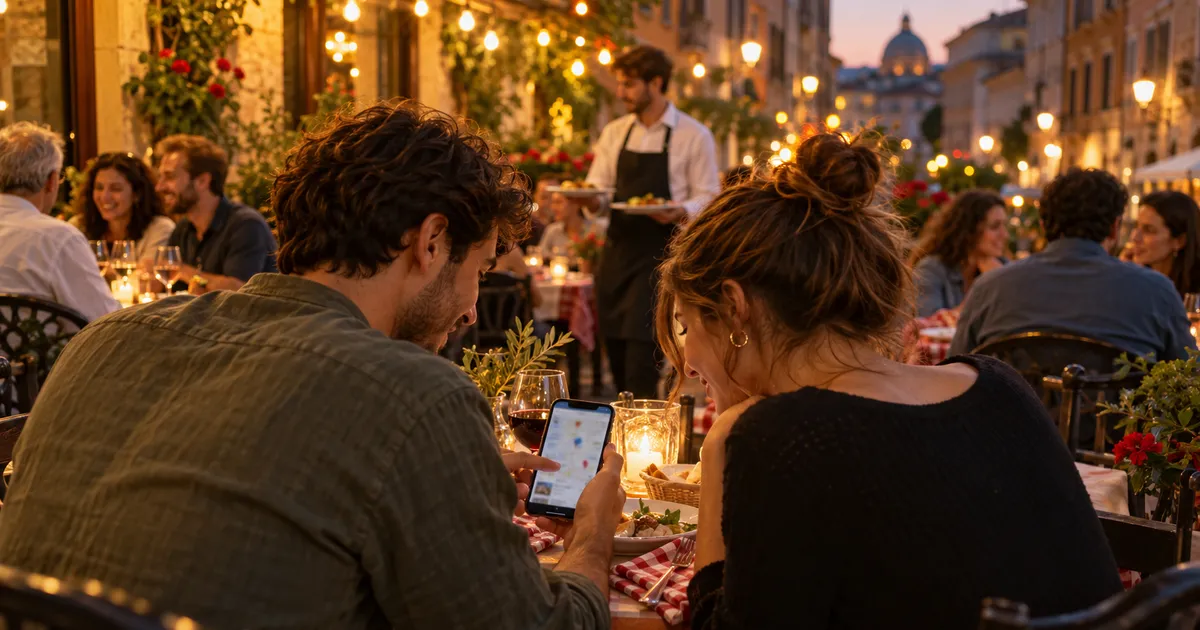
Restaurant SEO is the work of getting your place to show up on Google when a hungry person looks for somewhere to eat nearby. It happens on a phone, a few streets from your door, and it often ends in a call, a route or a booking. It is local SEO for a business with its own rules: the menu, opening hours that change on bank holidays, photos of your dishes and the buttons to book or order.
This guide sticks to the practical side. What to change on your Google profile, what your website needs and what to do this week, whether you run a neighbourhood pizzeria, a tapas bar or a brunch café.
How does Google decide which restaurants to show?
When someone searches for "Italian restaurant" on their phone, Google shows nearby places on Maps and Search. According to its own help pages, local results are mainly based on relevance, distance and popularity. On that same page, Google recommends complete information, including special hours, details such as parking or Wi-Fi, replying to reviews and adding photos and videos. It also states that there is no way to pay for a better local ranking.
The same applies to "near me" searches. You can't control distance, but you can work on relevance and popularity. That is where your room to move is. For the detail behind each signal, read our guide to the factors that drive local rankings.
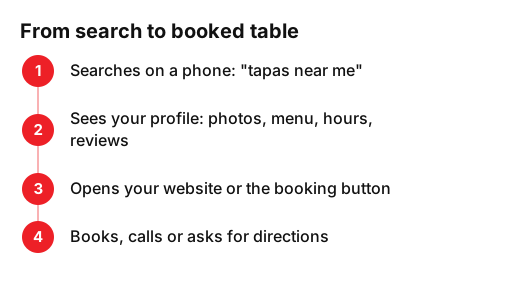
The path from a search to your table usually has four steps, and you can lose the diner at any of them:
Set up your Google profile for a restaurant
Restaurants can list their menu items on their Business Profile with the menu editor: dishes, descriptions and prices, grouped into sections such as starters, mains and desserts. Changes can take 24 to 48 hours to appear on Maps and Search. From there you can also add a menu link that points to your website.
For bookings and orders, your profile supports links to make a reservation or place a food order, up to 10 per category, and you can set one as the preferred link. If you use a booking platform and also take direct bookings on your site, decide which one should appear first and mark it. If it's Fresha, check how its new client fee works first.
Some data is out of your hands. Popular times only appear when Google has enough visit data, and you can't add them yourself. What you can do is keep your hours accurate, so nobody turns up to a locked door.
| Profile item | What to check |
|---|---|
| Category | Your main category describes your food or venue type: pizzeria, seafood restaurant, café. |
| Menu | Dishes with descriptions and prices, in sections. No menu from two seasons ago. |
| Menu link | Points to a page on your website with the menu as text. |
| Bookings and orders | Your direct link, set as preferred if you have one. |
| Attributes | Outdoor seating, Wi-Fi, accessibility, takeaway: tick only what is true. |
| Photos | Real dishes, the dining room and the shopfront, so people recognise you from the street. |
Keep your hours right, including bank holidays
Wrong opening hours are the quickest way to lose a table and earn a bad review. Use special hours for Christmas, Easter, bank holidays or a private event. At Christmas, selling gift vouchers is also a simple way to fill tables in January. Google suggests you confirm your hours for official holidays, even if they are your usual ones, because it tells diners the information is reliable.
A habit that works: set a reminder on the 1st of each month to check the holidays coming up. It takes five minutes and saves you annoyed guests at the door.
Reviews: ask, reply and learn
Reviews tell other diners what eating at your place is like: the signature dish, the service, the wait. Ask at the right moment, when you bring the bill, with a QR code on the table or on the receipt. You'll find practical ideas in how to get more Google reviews.
Reply to all of them, the good ones too. For a bad one, answer calmly, with facts and without arguing: what happened, what you've changed and an invitation to come back. Many future guests will read that reply. And act on patterns: if five people mention the wait on Saturday nights, you know what to fix.
A fast website with the menu as real text
Your profile sends people to your website. Picture someone opening it on their phone, standing in the street, deciding where to have dinner. The site should load fast, show your phone number and booking button straight away, and have the menu as text on its own page. A menu that only exists as a PDF or a photo forces people to zoom and is harder to keep up to date.
There is one more reason. The same menu editor help page explains that Google may transcribe menu data from your business website so it appears on your Business Profile. A menu in clear text, with dish name, description and price, is the simplest way to give Google and your guests the same information. If your current site can't do that, see how we approach web design for venues and shops.
Restaurant structured data (schema.org Restaurant)
Structured data is a block of code visitors don't see that describes your business in a format Google understands. With it, you can tell Google about your business hours and other details. Google's guide uses a restaurant as its example, with the type "Restaurant" and properties such as servesCuisine (type of food), priceRange, openingHoursSpecification (hours) and menu (a link to your menu).
What matters is that the code says the same as your profile and your site: same name, address, phone number and hours. Then validate it with Google's Rich Results Test, as that guide recommends, and fix any errors it flags.
The same name, address and phone number everywhere
Diners don't only use Google. They also check booking platforms, delivery apps, Tripadvisor, Instagram or Apple Maps. Make sure every one of them shows the same name, address, phone number and hours. If you change your hours or number, update them all on the same day. We have a step-by-step list in how to rank on Google Maps.
What to do this week
- Monday: check your category, your hours and special hours for the next holidays.
- Tuesday: add or update the menu on your profile, with prices, and add the link to the menu on your site.
- Wednesday: add your booking or ordering link and set it as preferred.
- Thursday: take ten new photos of dishes and the dining room in good light, and upload them.
- Friday: reply to any pending reviews and put a QR code on the tables to ask for reviews.
- Weekend: check that your name, address, phone number and hours match on every platform.
If you'd rather have help, our local SEO and GEO team reviews your profile, your website and your structured data, and leaves you with a clear plan to fill more tables from Google.
Frequently asked questions
- Is a PDF menu enough?
- You can upload photos or a PDF of your menu to your profile, and Google offers an experimental tool to turn them into a detailed menu. On your website, it still pays to have the menu as text: it reads better on a phone, takes minutes to update and Google can transcribe it to your profile.
- How long does restaurant SEO take to work?
- Menu changes on your profile can take 24 to 48 hours to show on Maps and Search. Climbing the rankings takes longer and depends on your area, your competitors and your reviews. Track the calls, route requests and booking clicks your profile brings in each month.
- Can I pay Google to appear first on the map?
- No. Google states there is no way to request or pay for a better local ranking. Ads are a separate channel and don't change your organic position.
- What if a customer uploaded a photo of an old menu?
- Flag it for removal and upload a current menu photo yourself. That is what Google's own menu editor help recommends.
- Do I need a website if I'm already on booking and delivery apps?
- It's worth having one. Your website is the only place you fully control: the menu as text, direct bookings and structured data. Platforms show you next to your competitors and can change their terms whenever they like.
Sources
- Google, «Tips to improve your local ranking on Google - Google Business Profile Help». support.google.com/business/answer/7091?hl=en
- Google, «About the menu editor - Google Business Profile Help». support.google.com/business/answer/9455840?hl=en
- Google, «Manage your local business links - Google Business Profile Help». support.google.com/business/answer/6218037?hl=en
- Google, «About popular times, wait times & visit duration data - Google Business Profile Help». support.google.com/business/answer/6263531?hl=en
- Google, «How to set Special hours - Google Business Profile Help». support.google.com/business/answer/6303076?hl=en
- Google Search Central, «Local Business (LocalBusiness) Structured Data | Google Search Central». developers.google.com/search/docs/appearance/structured-data/local-business?hl=en
- Google Business Profile (YouTube), «How to add menu items to your Business Profile». www.youtube.com/watch?v=AQj1iPLjTI4